Windows 10 / 11
64-bit · Portable ZIP · 167 MB
↓ Download for Windows Preview build · Trusted signing pendingFile checksum
SHA-256 673223ad43059212dac3cbe11b58f61a828f585862ef27bf5bf3d1015eba54f0 DashView Studiofor Tesla owners
Plug in your TeslaCam drive, see your cameras together, and turn the moment that matters into a clip worth keeping.
Desktop beta · Works directly from your USB drive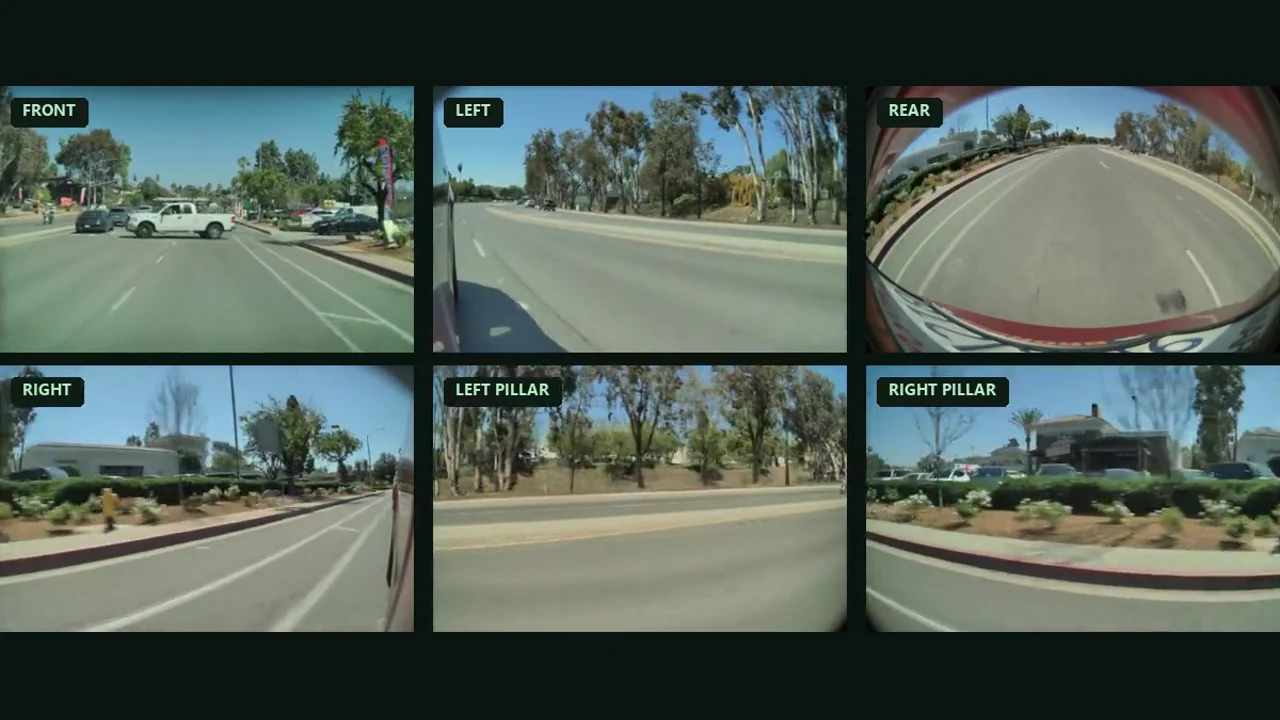
Watch real Tesla footage from six angles. Hear how to open a recording from USB, use Smart Cut to follow a passing pickup, and play the finished export.
Select your TeslaCam folder and play it locally on your computer.
Set start and end times. Smart Cut looks for a likely highlight inside that window.
Check the suggested cut and save a video you can share.
Download the ZIP and extract the full folder before opening DashView Studio.
64-bit · Portable ZIP · 167 MB
↓ Download for Windows Preview build · Trusted signing pendingSHA-256 673223ad43059212dac3cbe11b58f61a828f585862ef27bf5bf3d1015eba54f0